


The starting point: use what WordPress and Ollie offer as much as possible, and only write my own code where there’s no other way. Otherwise the site can only be maintained by me (or by Claude).
What worked out of the box
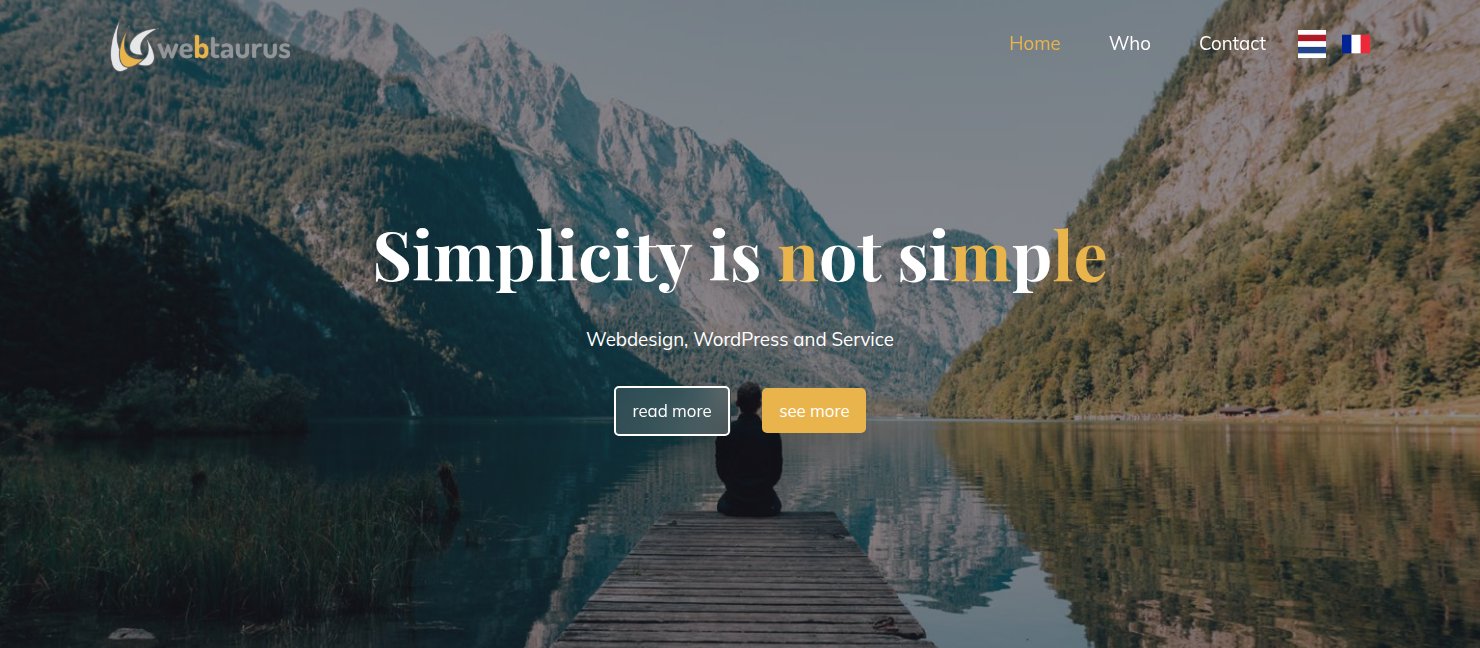
- The transparent header: a second version of the header without a background, and a page template of its own that uses it. Only placing it over the photo took one line of CSS.
- The menu effect and the gold colour of the active menu item: a few lines in the Site Editor’s Additional CSS.
- The hamburger button on mobile as three white lines instead of a grey button: also a few lines of CSS.
What needed my own code
The dancing letters. Ollie can only animate whole blocks, not individual letters. I rebuilt the old script in my own plugin. You give a heading a CSS class in the editor, and it just works. Without that class nothing is loaded. If you’ve set “reduce motion” on your computer, you simply see a still title, and a screen reader reads the heading in one go, not letter by letter.
A glass button. I spotted it on another Ollie site: a transparent button that blurs the photo behind it. It’s now a button style of its own that I can simply pick in the editor.
Conclusion
Switching themes doesn’t mean saying goodbye to everything you liked. But check for each effect whether it really needs custom code. Usually it doesn’t.
For the techies: how it’s built
Environment: Ollie 1.6.3 + Ollie Pro 2.8.3, WordPress 7.1.2, multisite. The old theme was Bravada Plus (Cryout).
Transparent header. Template part header-transparant (no background, textColor: base) and a template of its own, page-hero (= Ollie’s page-no-title with that header, className header-overlay). In Additional CSS:
.header-overlay{position:absolute;top:0;left:0;right:0;z-index:20}
body.admin-bar .header-overlay{top:var(--wp-admin--admin-bar--height,32px)}
Menu hover. The old theme used a ::before that grows from 0 to 100% width, white at 10%. Rebuilt with background: currentColor, so the same panel is white on the transparent header and dark on the white header. Ollie Pro’s own hover colour works on the whole navigation block, not per item, so it wasn’t usable here.
Dancing letters. The original is jQuery (cryoutSliderTitleBreakUp). Rebuilt in vanilla JS in a plugin of my own:
- loaded through a
render_blockfilter, and only when a block has the classletters-dansen; - text built with
textContentandcreateElement, neverinnerHTML; - the individual letters
aria-hidden, and the whole heading in a visually hidden span for screen readers; - stops at
prefers-reduced-motion, and pauses when out of view (IntersectionObserver).
Glass button. register_block_style( 'core/button', … ) with backdrop-filter: blur(16px) and 13% white.
Pitfall. With a block theme, a block style’s style_handle is loaded too late. Core only hooks a render_block filter at enqueue_block_assets, while the template has already been rendered by then. So load it yourself in a render_block filter of your own.