


The short answer: Claude can now make a backup by itself before a change, and then check whether it succeeded. It cannot restore or delete backups. I think that is exactly right. An AI that puts a safety net in place, but can’t break anything with it.
What it means in practice
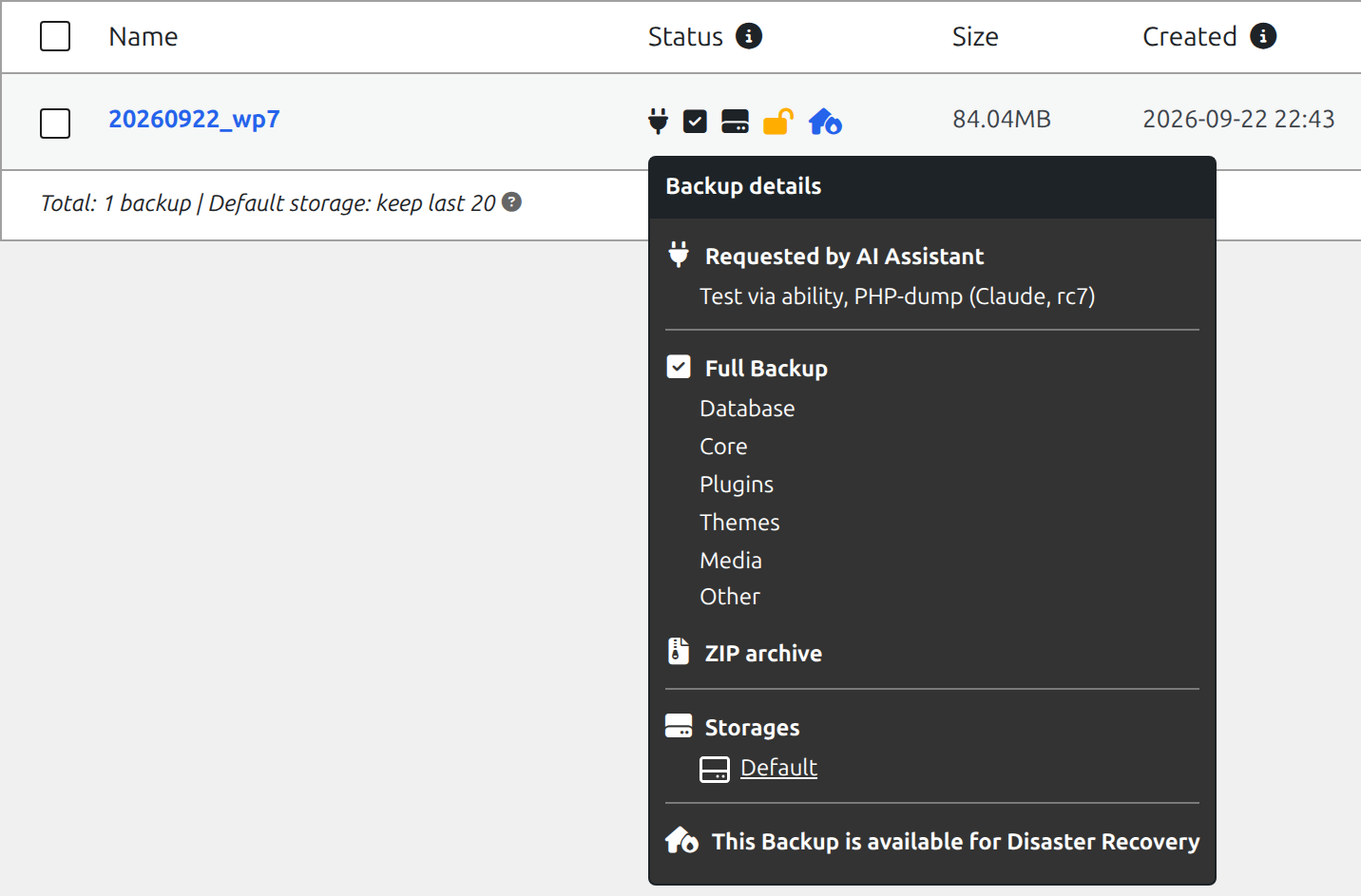
Say I ask Claude to update a plugin or rebuild a page. From now on, it can start a backup first, wait until it’s done, and only then begin. The backup list shows that the AI made it, and why. That saves me a step, and the risk of forgetting it.
Two caveats
The connection runs through an extra service, and I don’t use it. Duplicator recommends connecting your AI through WPVibe, a plugin with its own server on the internet. Your AI assistant then talks to their server, and that server talks to your site. The password that makes this possible is stored with them. That can be convenient, but I’d rather not give a third party write access to my sites or my clients’ sites. It also works without: WordPress has its own standard for this.
On my local development environment it went wrong at first. The first backup failed. That wasn’t the AI connection, but an old quirk of Duplicator that version 5 hasn’t fixed yet. One setting solved it. After that, the backup was done in about a minute.
Conclusion
Useful, and sensibly limited. If you work on WordPress sites with AI, “make a backup first” is now something the AI can do by itself. I use it, but without the extra service in between.
For the techies: how it works and where it went wrong
Tested with: Duplicator Pro 5.0.4, WordPress 7.1.2, Local (Ubuntu), Claude Code via the MCP Adapter.
Three abilities. Through the Abilities API (since WP 6.9), Duplicator registers three functions in the duplicator category:
duplicator/list-backups: the latest 20 backups (read-only)duplicator/create-backup: starts a backup, withscope(allordatabase) and areasonthat appears in the backup listduplicator/get-backup-status: follows the progress, fromqueuedviarunningtocompleteorfailed
There is no ability to restore or delete. The annotations (readonly) are filled in properly, and on a staging site Duplicator refuses everything.
Not visible via MCP. The abilities have show_in_rest=true, but they are not MCP-public. So you don’t see them through the MCP Adapter. You can reach them through the REST API (POST /wp-json/wp-abilities/v1/abilities/duplicator/create-backup/run, with an application password) or locally with WP-CLI:
wp eval 'print_r( wp_get_ability("duplicator/create-backup")->execute(["scope"=>"all","reason"=>"Before the update"]) );' --user=<admin>Where it went wrong. Local runs MySQL on its own socket. Duplicator’s WP-CLI command wp duplicator build forces the database export to mysqldump, without passing that socket:
mysqldump: Got error: 2002: Can't connect to local MySQL server through socket '/var/run/mysqld/mysqld.sock'The --phpsqldump option is listed in the help as *”Not implemented yet”*. The nasty part: a failed CLI attempt like that saves mysqldump as the general setting. After that, a backup from the admin or through the ability fails too, with the same error. The new AutoTune feature did not step in during my test.
The fix. Set the database export to PHP: Duplicator → Settings → Backups → SQL Mode → PHP Code. After that, the backup through the ability succeeded in about a minute: an archive.zip of 84 MB plus the installer.
WPVibe. WPVibe (vibe-ai on wordpress.org, by SeedProd) works as a relay: AI → wpvibe.ai (Cloudflare) → your site’s REST API. The application password is stored encrypted on their servers. It doesn’t work for sites in a local development environment, because their server can’t reach them.